

Schools and Trusts can occasionally transfer your application between vacancies without requiring you to re-apply. If a school requests a transfer, you will receive a confirmation email asking for your consent. This is entirely optional; if you decline, your application will remain unchanged and will not be moved.
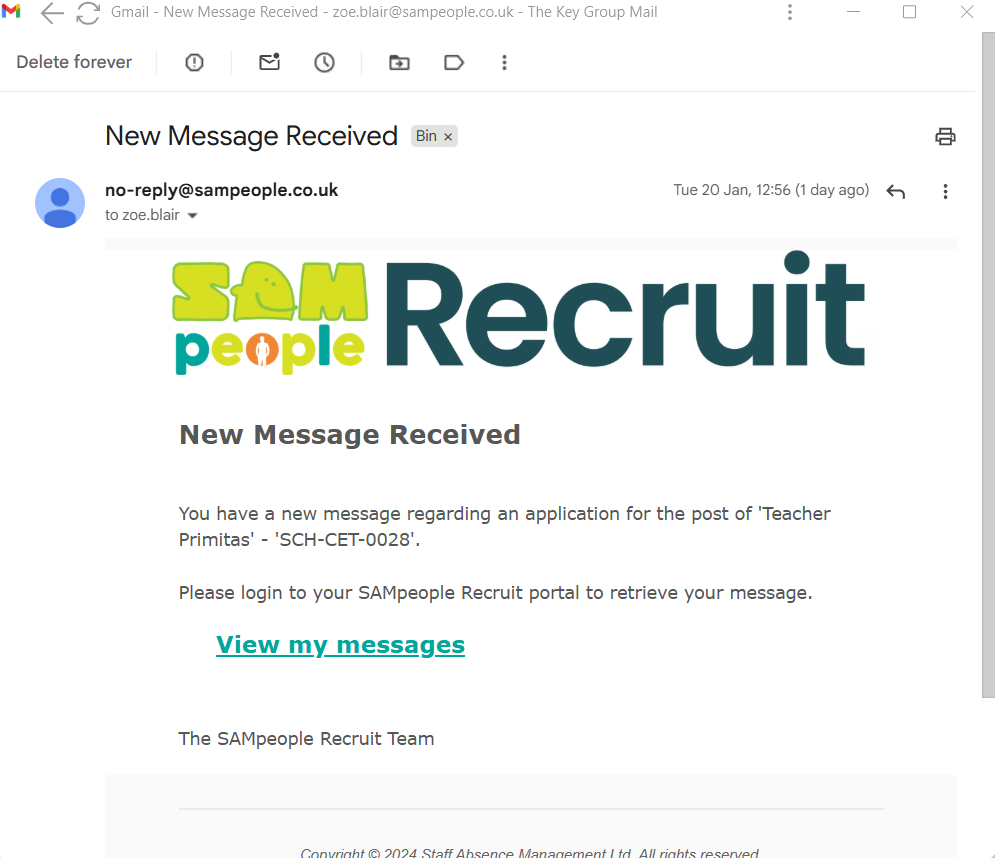
1. You will receive an email asking you to log into your account.
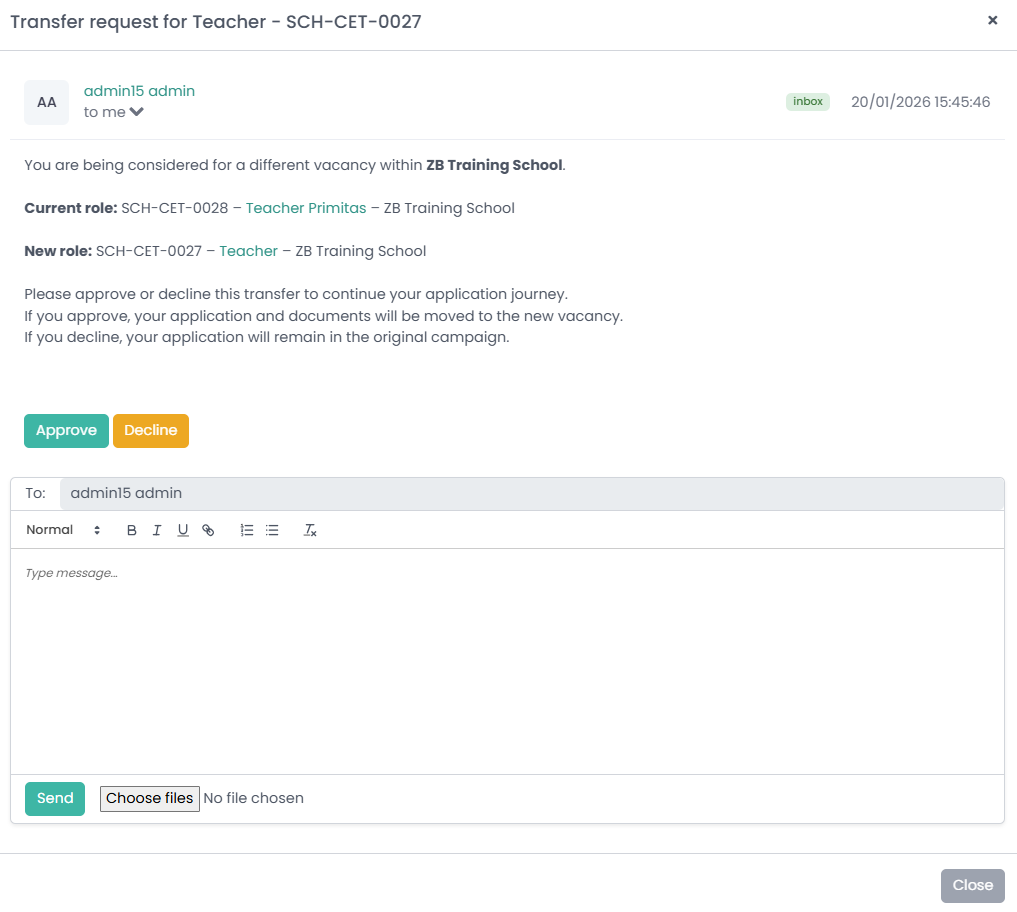
2. Once Logged, in you will be given the information and then it will give you the option to Approve or Decline.
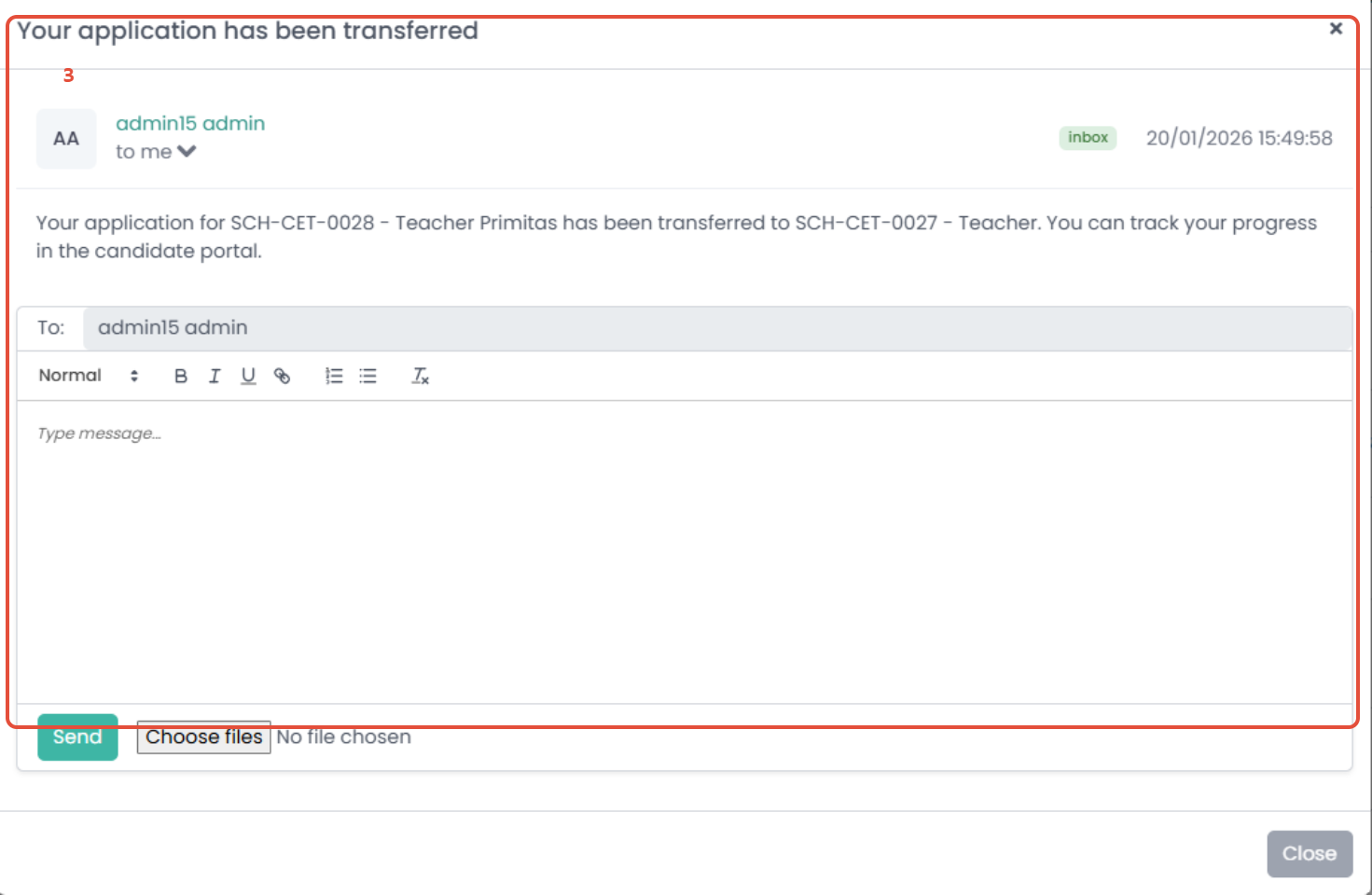
3. Once approved, you will receive an email to advise you to log onto your profile, where you will receive confirmation that your application has been transferred.
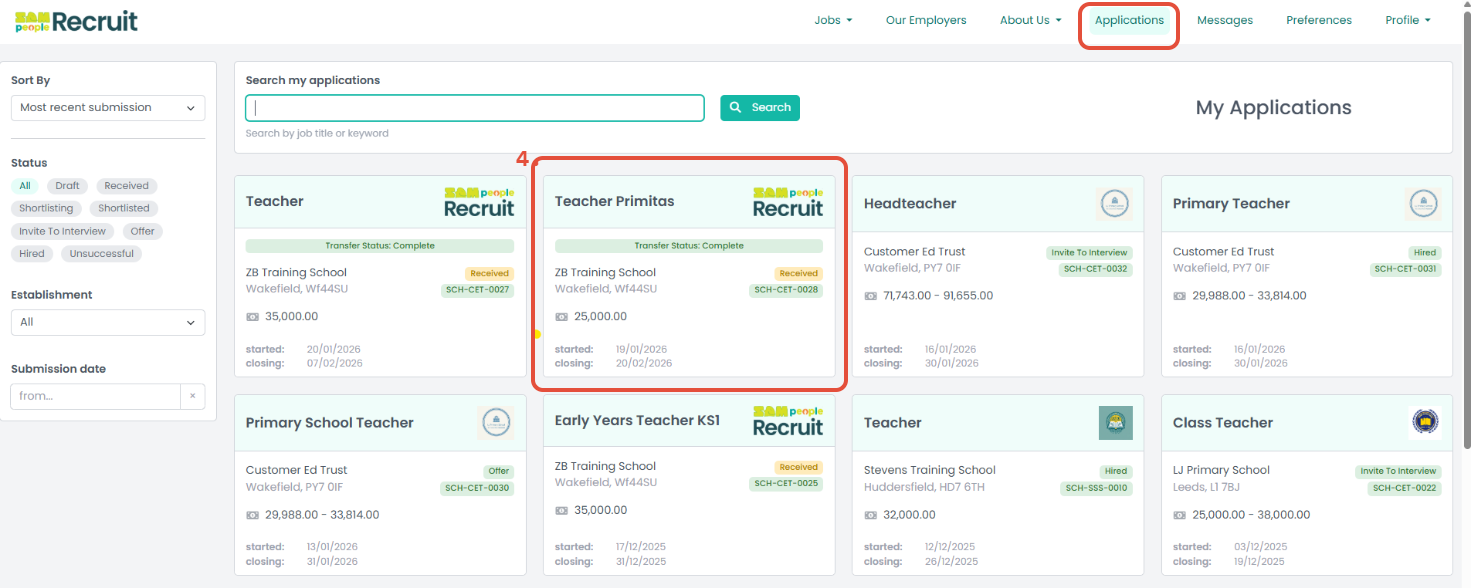
4. Once transferred you will be able to see that the transfer has been successful in the applications tab
Was this article helpful?
That’s Great!
Thank you for your feedback
Sorry! We couldn't be helpful
Thank you for your feedback
Feedback sent
We appreciate your effort and will try to fix the article