

If you no longer require a profile in SAMpeople Recruit, this can be permanently deleted. Please see guidance below.
1.Once logged in, go into settings.

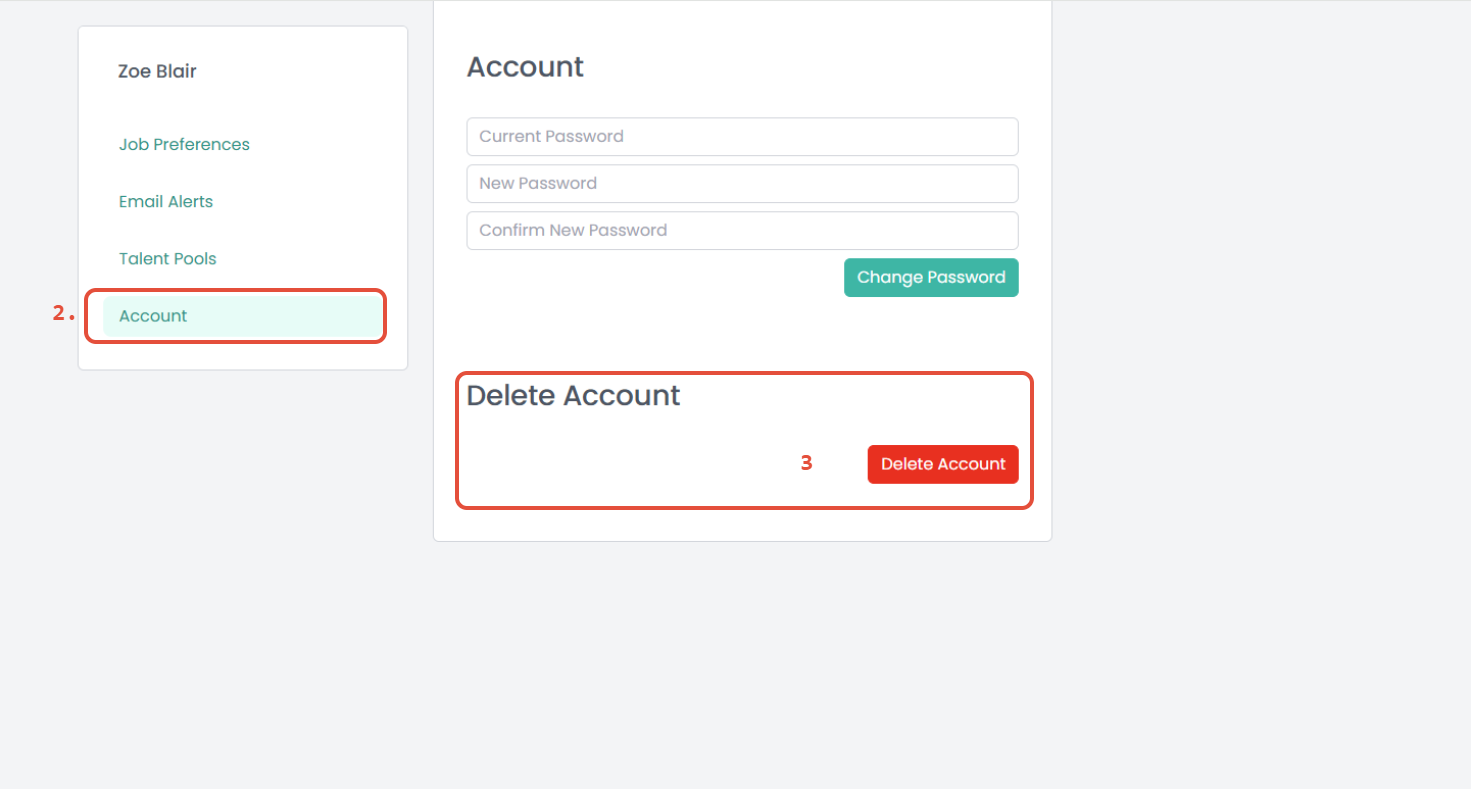
2. Go into your Account.
3. Select Delete Account.
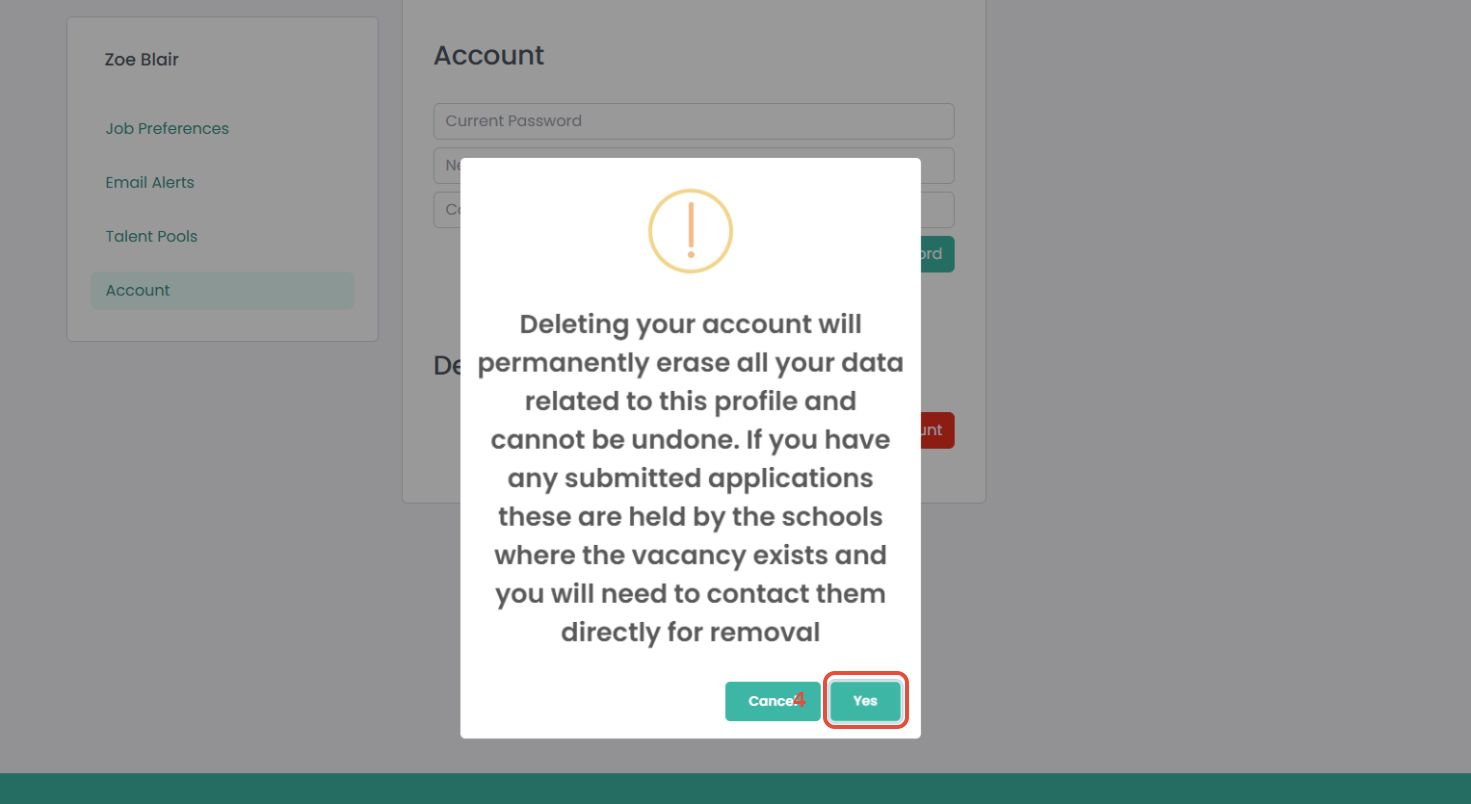
4. Click Yes.
Please note that submitted applications are managed by the individual schools advertising the vacancy. To request the removal of your data, please contact the relevant School or Trust directly.
Was this article helpful?
That’s Great!
Thank you for your feedback
Sorry! We couldn't be helpful
Thank you for your feedback
Feedback sent
We appreciate your effort and will try to fix the article